AI Filmmaking Short

How to Direct an AI Handheld Camera Movement

Avoid the trap of continuous digital vibration by grounding your AI handheld camera in natural human breathing and operator correction.

19 seconds9:16 Vertical

About This Video

What Is Authentic Handheld Camera in AI Video?

Handheld cinematography introduces visceral energy and documentary realism to a scene. Rather than a mechanical dolly or static tripod, the camera feels tethered to a human operator moving through physical space with the subjects.

In AI video generation, achieving this look starts with how a real camera operator behaves. Operators typically work to keep the frame stable, and their physical presence shows up as subtle breathing sway, small weight shifts from footsteps, and slight lag as they follow the subject.

Why Synthetic Shake Looks Artificial

The mistake this Short warns about is constant shake. If the camera shakes constantly at the same amplitude, it reads as a digital effect instead of a person holding the camera. Repeating the same shake at the same strength can make the shot feel artificial.

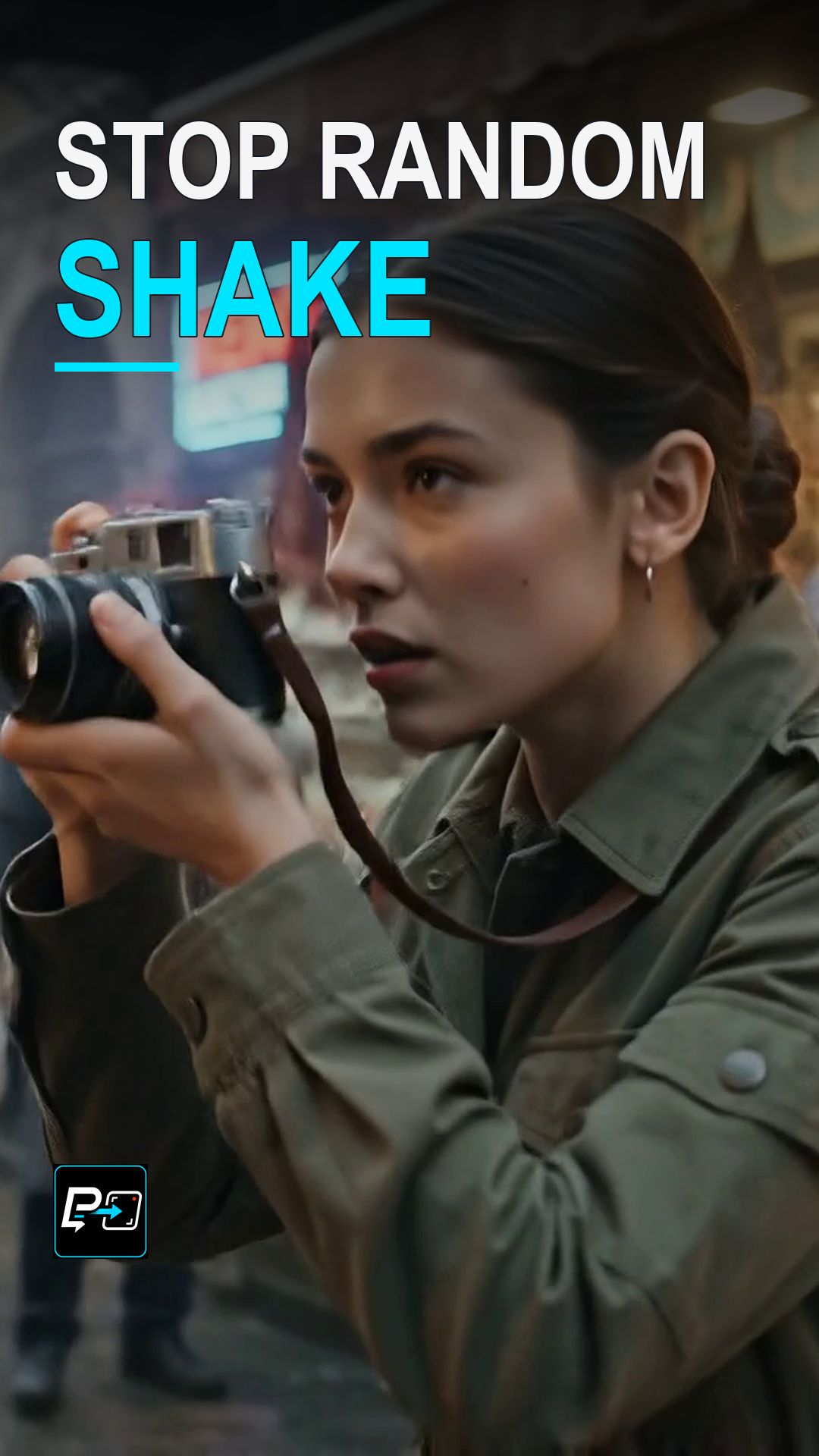
Human handheld movement is irregular and restrained rather than uniform. In the selected output for this Short, a photographer turns and raises the camera while the framing follows the subject through the street, which made it the most readable example of motivated reframing in the comparison. Frame samples cannot certify natural shake cadence, so this is something to confirm by watching the movement in real time.

Example Directing Pattern for Handheld Camera

This is an example directing pattern, not the exact production prompt.

Eye-level handheld tracking shot.
Movement motivated by an operator following the subject on foot.
Subtle organic shake with a slight pan lag, irregular and restrained.

Describe the operator’s behavior and keep the imperfections restrained, so the intended movement is clear in the prompt.

Diagnosing Handheld Camera Outputs

  • Cadence Check: Watch whether the movement varies rather than repeating the same shake at the same strength. Frame samples alone cannot certify natural cadence, so review it at real-time speed.
  • Responsive Framing: Check whether the framing follows the subject with a slight, believable lag, for example when the subject turns.
  • Restraint: The imperfections should stay irregular and restrained. If the movement draws attention to itself as an effect, simplify the instruction.

Part of the AI Cinematic Effects playlist.

Frequently Asked Questions

What is the one prompt mistake this Short warns about?

Asking for constant shake. Repeating the same shake at the same strength can make the shot feel artificial. In the words of the Short, if the camera shakes constantly at the same amplitude, it reads as a digital effect instead of a person holding the camera.

How should human handheld movement be described instead?

Describe the behavior of a camera operator. Motivate the movement through the operator and the subject, and keep the imperfections irregular and restrained, such as a subtle organic shake and a slight pan lag as the operator follows the subject.

What did the production prompt describe?

The production prompt for this example described an eye-level handheld tracking shot with a subtle organic shake and a slight pan lag, as if a physical camera operator were following the subject on foot. It described camera behavior, not just shake.

How do I review a handheld shot?

Review whether the framing responds naturally to the subject. Look for irregular, restrained movement and a believable lag when the subject turns. Frame samples alone cannot confirm natural shake cadence, so judge the movement at real-time speed.

Guides

Free & Premium Guides

Continue with the Free Guide for a practical reference, or go deeper with the Premium Guide for model-aware prompting and reference outputs.

Free Guide

Free Guide

  • FormatPDF
  • Length~28 pages
GET THE FREE GUIDE

Opens in a new tab. Your download access will be sent by Lemon Squeezy; close the checkout tab to return here.

Premium Guide

Premium Guide

  • FormatPDF, MP4
  • Length~58 pages
  • Price$14.99 USD
  • 25 effects and technique explanations
  • Model-aware prompting (Gemini, Google Flow, Kling AI)
  • 75 Reference videos (MP4)
  • Language editions: EN, FR, ES, DE, JA, PT-BR
GET THE PREMIUM GUIDE — $14.99 USD

Series

AI Cinematic Effects

Practical Shorts on cinematic effects for AI video — covering motion, timing, perspective, and camera behavior effect by effect.