What Is a Match Cut?
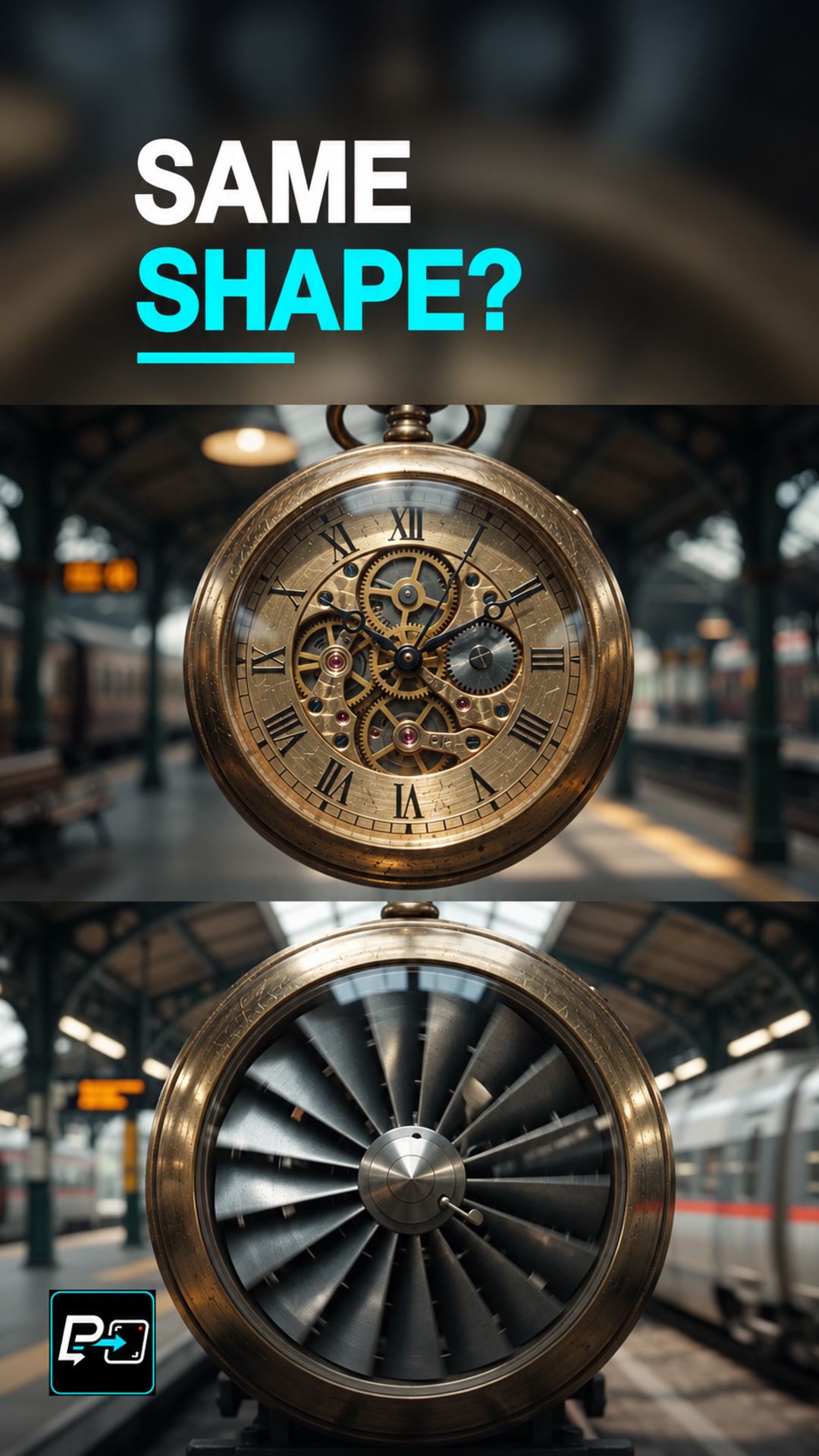
A match cut links two different shots by repeating a visual anchor, such as a shape, a position, or a direction of movement, so the change of scene feels continuous. The new world is accepted quickly because the anchor does not move.
In AI video, asking for two round objects is only a starting point. The anchor has to be defined precisely enough for the two sides of the transition to line up.
Match the Geometry, Lock the Anchor, Change the World
The directing principle is to define the geometric anchor before changing the world. Shape, scale, and screen position all need to connect the two shots, and a gradual morph is a different transition from a cut.
This Short compares two outputs. In the first, the anchor changes size across the transition: a wide ellipse becomes a much smaller central aperture. In the second, the two shots share a central round anchor and a stronger circular position, but the transition develops gradually and looks like a morph. The shared shape family alone did not preserve scale.
For other transitions, compare this with a Morph Cut.
Example Directing Pattern for a Match Cut
This is an example directing pattern, not the exact production prompt.
Static, locked-off camera, one continuous take.
[Object A] with a [round shape] centered at [screen position], filling [fraction] of the frame.
The scene changes to [Object B] with the same [round shape] at the identical screen position and scale.
No cross-dissolve, no fade, no hard cut.
Stating the anchor’s shape, position, and size explicitly gives both sides of the transition the same reference.
Quality Checks for Match Cut Generations
- Scale Match: Compare the size of the anchor on both sides of the transition.
- Position Match: Check that the anchor sits at the same screen position before and after the change.
- Cut or Morph: Inspect the frames on both sides of the transition at normal speed, then frame by frame, to tell a cut from a gradual morph.
Part of the AI Cinematic Effects playlist.