What Is Papercut Animation?
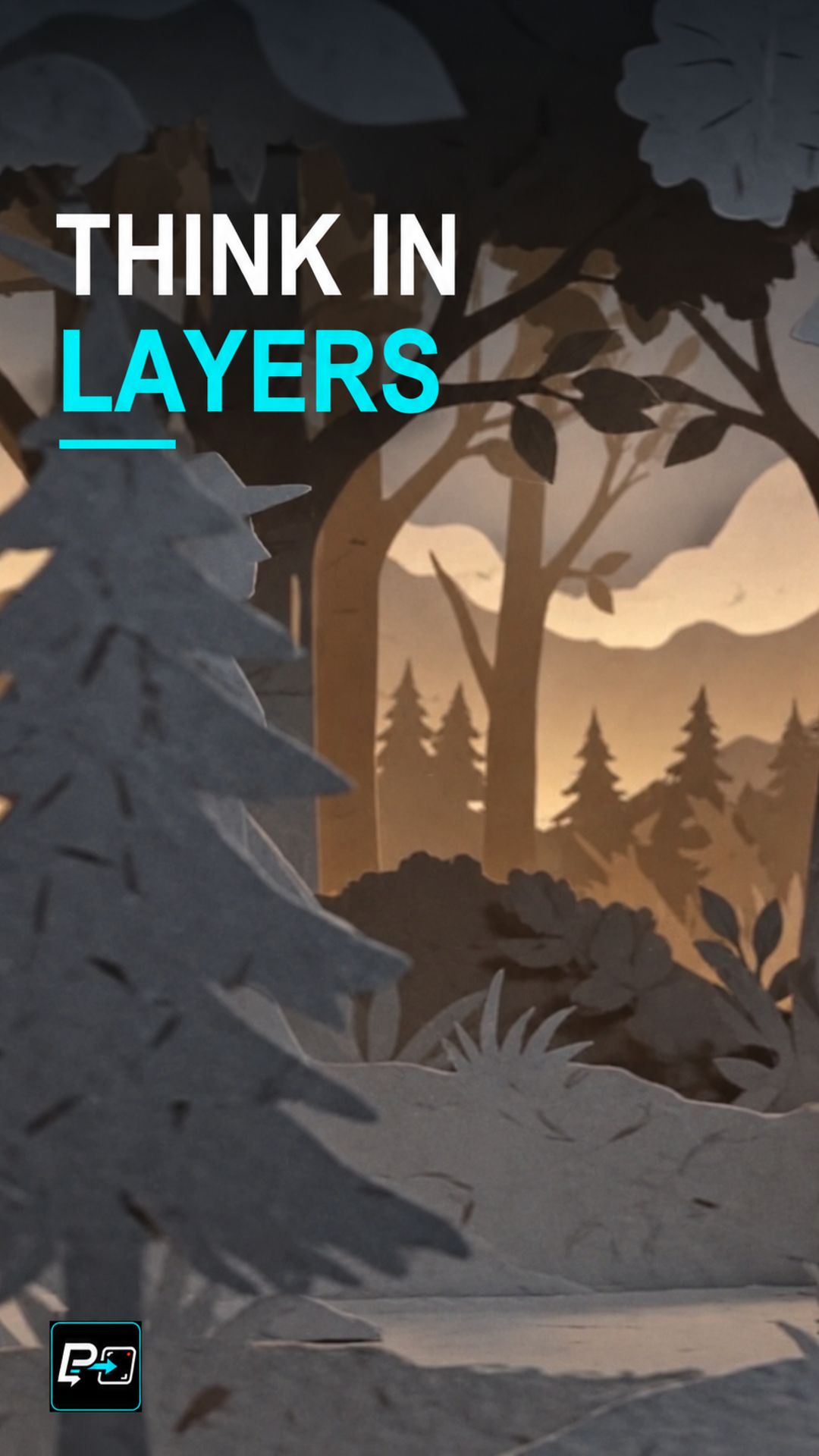
Papercut animation presents a scene as if it were built from cut paper: separate pieces stacked at different depths, with light and shadow showing the space between them. The result reads as a physical, constructed world.
In AI video, asking for a paper texture is only a start. The scene also needs layers that can be told apart.
Build the Layers, Light the Gaps, Reveal the Depth
The directing principle is to construct the depth before moving the camera. Build the foreground, middle and background first, light the gaps between them, and then use a controlled camera move that makes the nearer planes travel differently from the distant ones.
In the selected output for this Short, labelled Gemini in the production files, near tree layers move across distant scenery at different apparent rates, and separated edges, shadows and occlusions make the layers legible. Fine paper fibres are less readable on mobile, so the depth cues carry the effect.
Other outputs were not selected because they taught something else: one used a forward push into a nested paper shadowbox, which is a different depth cue from lateral parallax, and another was dominated by a cut-paper dragon’s wing animation rather than by the camera exposing separate planes.
For another camera-travel effect, see the Hyperlapse Orbit Short.
Example Directing Pattern for Papercut Animation
This is an example directing pattern, not the exact production prompt.
Build the layers first: foreground [paper elements], middle ground [paper elements], background [paper elements].
Light the gaps: soft shadows and visible space between each layer.
Camera: a controlled [lateral move] so the nearer layers travel differently from the distant ones.
Describing the layers and the gaps separately from the camera move keeps the depth instructions explicit.
Quality Checks for Papercut Generations
- Layer Separation: Check that foreground, middle ground and background read as separate pieces with visible gaps.
- Relative Movement: Watch whether the nearer layers travel across the distant ones during the camera move.
- Mobile Readability: Check the result at mobile size. Fine paper texture is less readable there, so the layers and shadows need to carry the depth.
Part of the AI Cinematic Effects playlist.