What Is a Particle Dissolve?
A particle dissolve turns a subject’s own material into particles that leave its form and travel somewhere. The effect is readable when the release is visible, the path is coherent, and the destination is defined.
Particles that merely circle an intact subject are a different thing from material that is actually leaving the form, and the two should not be confused when judging a result.
Release With Purpose, Control the Path, Plan the Return
The directing principle has three parts: release with purpose, control the path, and plan the return. Describe where the material starts, how it travels, and whether it disperses or reconstructs.
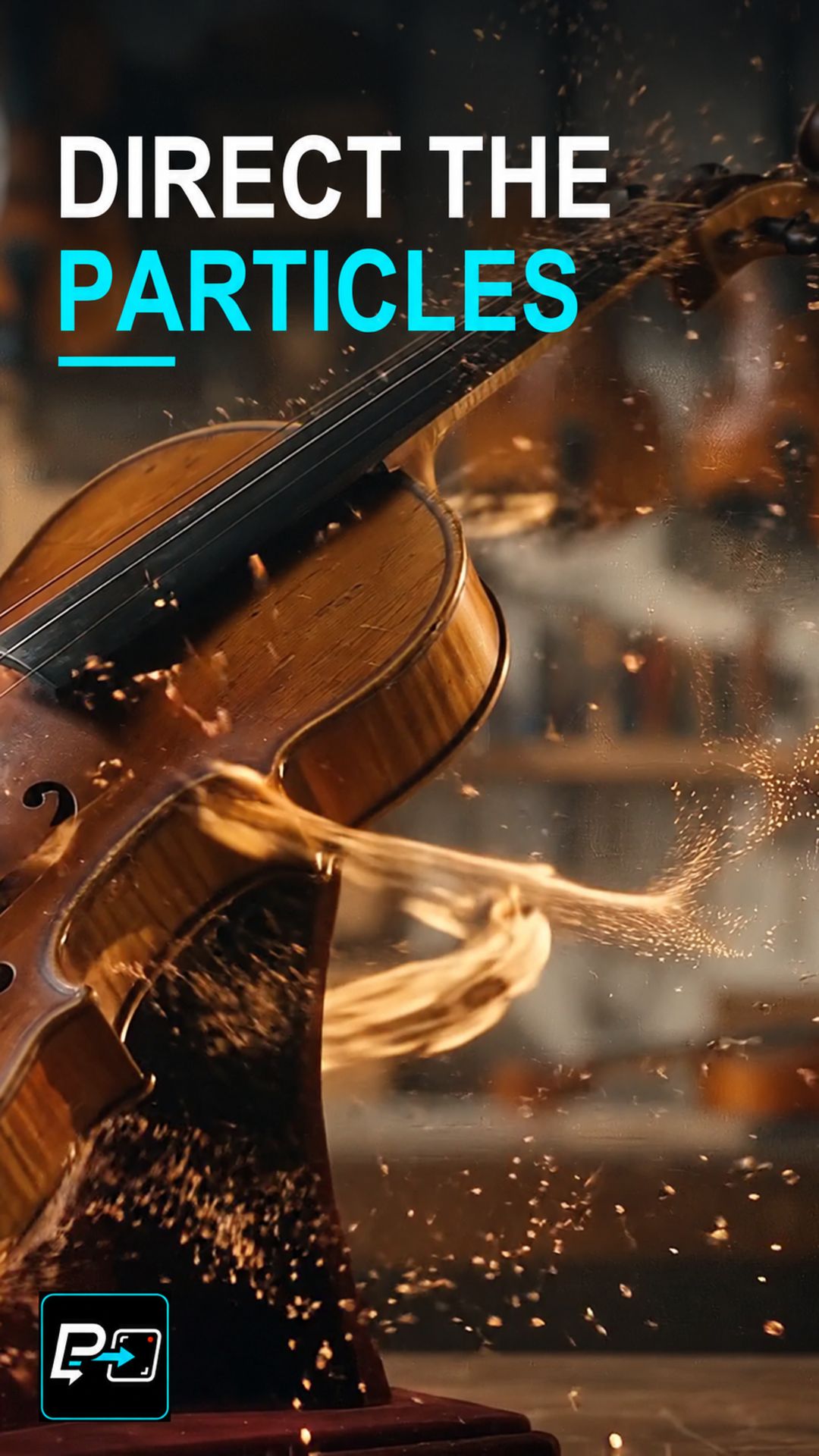
This Short uses a single selected output, labelled Flow in the production files, in which a violin starts intact and breaks into wood and golden particle trails. The release and a coherent spiral path are readable, but the violin largely disappears and there is no stable reconstructed final form.
Two other generated outputs were not selected. In one, a stone bust cracks, releases gold fragments and erodes into a cavity, again without a clean reconstructed endpoint. In the other, a dancer stays largely intact while cyan particles orbit, which is spectacle rather than the subject forming or dispersing.
For another kind of transformation, see Morph Cut.
Example Directing Pattern for a Particle Dissolve
This is an example directing pattern, not the exact production prompt.
[Subject] starts intact in [setting].
Release: the material leaves the form from [starting region] as [particle type].
Path: the particles travel [route, such as a spiral] toward [destination].
Return: the particles [disperse into / reconstruct as] [defined endpoint].
Naming the endpoint in the prompt gives you something definite to inspect.
Quality Checks for Particle Dissolve Generations
- Leaving or Circling: Check whether the particles come from the subject and leave it, or only orbit an intact form.
- Path Coherence: Follow the particle trails for the whole shot and look for paths that break up or lose direction.
- Endpoint Check: Inspect where the material ends up instead of assuming the prompt was followed. A completed return needs to be visible to be claimed.
Part of the AI Cinematic Effects playlist.