What Is a First-Person POV Shot?
A first-person POV shot is a subjective camera: the viewer sees the scene from the character’s own viewpoint. In AI video, an eye-height camera alone is not enough.
Hands, head movement and contact with the environment help the shot feel connected to a body.
Lock the View, Embody the Motion, Touch the World
The directing principle is to describe what the viewer touches and how that action moves the viewpoint. Then check fingers and contact points throughout the shot, and make sure the vertical crop preserves the interaction instead of leaving a floating camera.
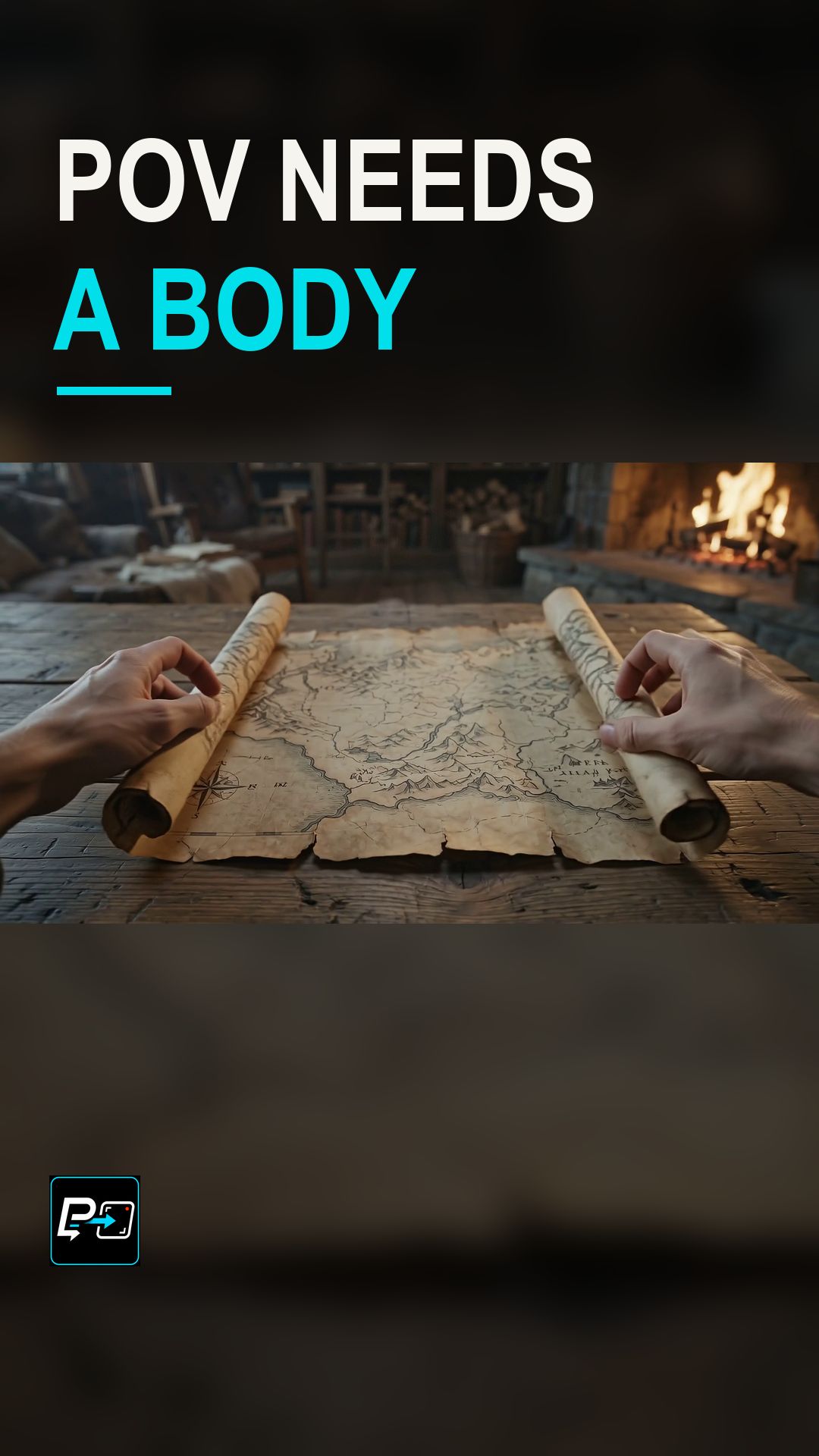
In the selected output for this Short, labelled Flow in the production files, a library viewpoint tilts toward a tabletop as hands unroll and press a map. The production review found its sustained physical contact the strongest embodied action among the three archived generations. The fixed vertical crop enlarges the map and hands, and the human crop review accepted a partial loss at the edges of the wrists as not damaging the POV lesson.
Two other outputs were not selected. The Kling output was mostly floating travel through a neon alley, with robotic hands entering briefly late in the clip and then disappearing, so its body cues were not sustained. The Gemini output showed a gloved flashlight and door-handle interaction with clear tactile intent, but finger and handle contact and anatomy were less dependable.
For a handheld camera, see the Handheld Camera Short, and for an external stabilized follow, see Steadicam Long Take.
Example Directing Pattern for a First-Person POV
This is an example directing pattern, not the exact production prompt.
First-person view at eye level, locked to the viewer's position.
Body: [hands or arms] enter the frame and [action] on [object].
Motion: the viewpoint [tilts / leans / turns] as a result of that action.
Contact: [fingers / hands] stay in contact with [surface or object] throughout.
Naming the contact point gives you something definite to check throughout the shot.
Quality Checks for First-Person POV Generations
- Contact Points: Check fingers and contact points throughout the shot, not only at the start.
- Sustained Body Cues: Hands that appear only briefly do not give a sustained sense of a body.
- Vertical Crop: Check that the vertical crop keeps the interaction visible instead of leaving a floating camera.
Part of the AI Cinematic Effects playlist.